
Add custom CSS or JavaScript to apply advanced styling or trigger scripts based on specific events. This helps you enhance your store’s appearance and enable tracking or custom functionality.
Step-by-Step Guide #
Step 1: Open General Settings #
From your Shopify admin:
- Go to Apps → PreOrder Guru
- Click on General Settings
Step 2: Navigate to Custom CSS/JS Code #
- Click on it to proceed
- Scroll to find the Custom CSS/JS Code section
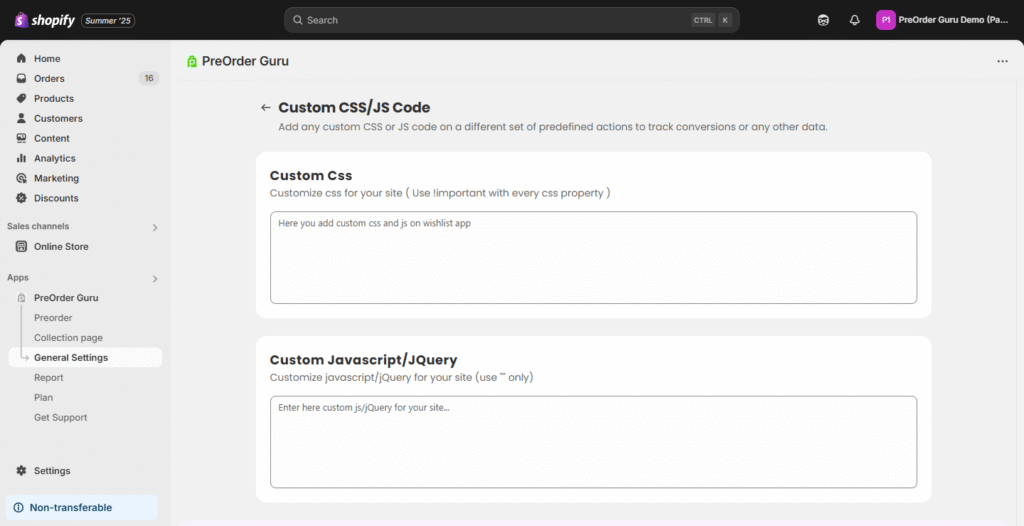
Custom CSS #
Style your store components as needed using custom CSS.
⚠️ Important: Use
!importantwith every CSS property to ensure your styles are applied correctly.
Custom JavaScript / jQuery #
Inject custom JavaScript or jQuery to add dynamic behavior or run tracking scripts.
⚠️ Note: Always use double quotes (
") around attribute values.


